
Most shared component libraries are npm packages, and the model has one consequence that decides everything else. The library keeps owning the code. A project that needs the component to behave differently has to open a pull request and wait, or copy the file and maintain a fork nobody admits to.
A shadcn registry inverts that. It hands a project the source code of a component, which a command-line tool writes into the codebase, and from that moment the file belongs to whoever installed it. There is no version to bump, and no upgrade to fear, because there is nothing to upgrade.
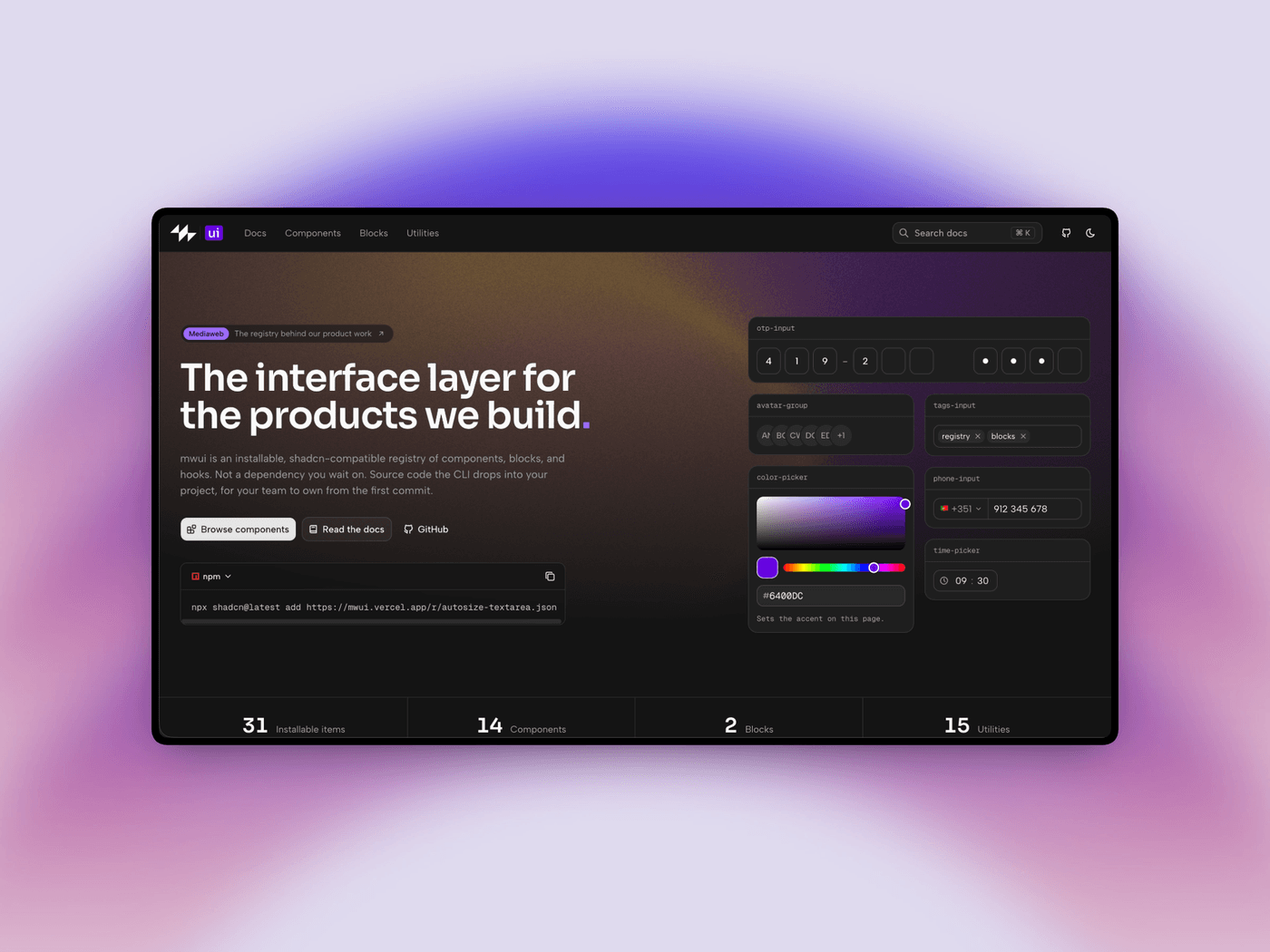
This article is the practical half of that idea. We built mwui, Mediaweb's registry, and what follows is how an item goes from an idea to something another project can install, using the conventions and the scripts we actually run. By the end you will know what a registry serves, how an item is scaffolded and declared, which mistake breaks an install, and how to catch it before anyone else does.
What you are actually building
A registry is smaller than most people expect. It is an HTTP endpoint per item that returns JSON conforming to a public schema, plus an index of everything available. No package registry account, no publishing pipeline, no authentication. A static site is enough infrastructure.
In our case a single configuration file defines the identity of the registry, and every public URL is derived from it:
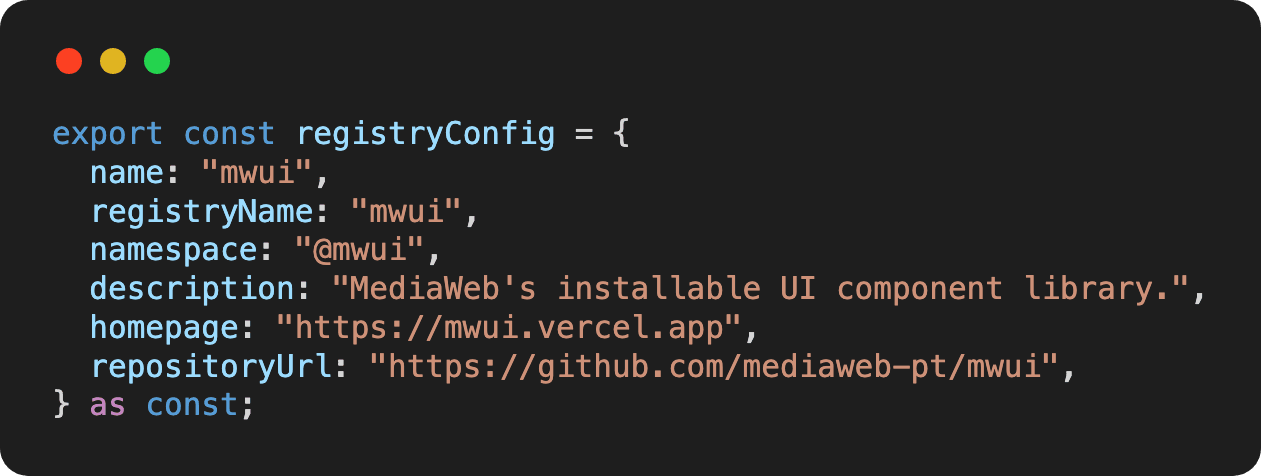
The index is served at /registry.json and each item at /r/<name>.json. That is the whole public contract, and it is what makes installation a single command pointed at a URL:

Everything else in this article exists to make that command work, and to make it keep working when somebody who is not you adds the next item.
Step one: scaffold the item
The organizing rule is that everything about an item lives in one folder, and nothing about it lives anywhere else. Write items by hand once and the conventions start drifting, so ours are scaffolded by a script:
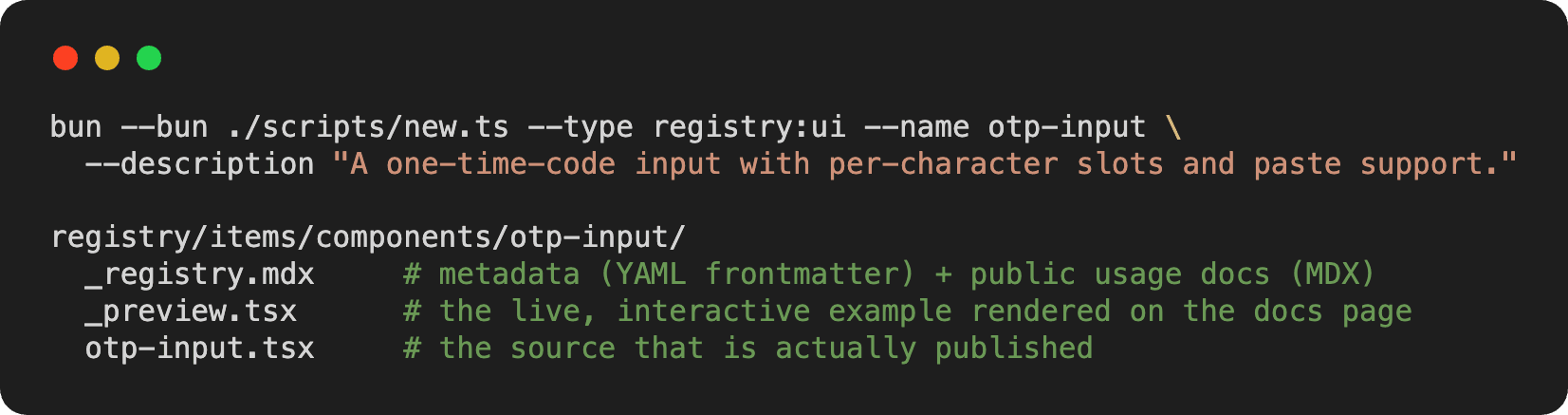
Run it without arguments and it prompts instead. The type matters more than it looks: registry:ui is a component, and the other types cover hooks, blocks, pages, plain files, and fonts, each with its own rules about where the consumer's CLI is allowed to write.
Step two: write the contract and the documentation in the same file
_registry.mdx is the piece we would keep in any future version of this project. Its frontmatter is a machine-readable contract and its body is the human documentation, in one file, so they cannot drift apart. This is the real frontmatter of our one-time-code input:
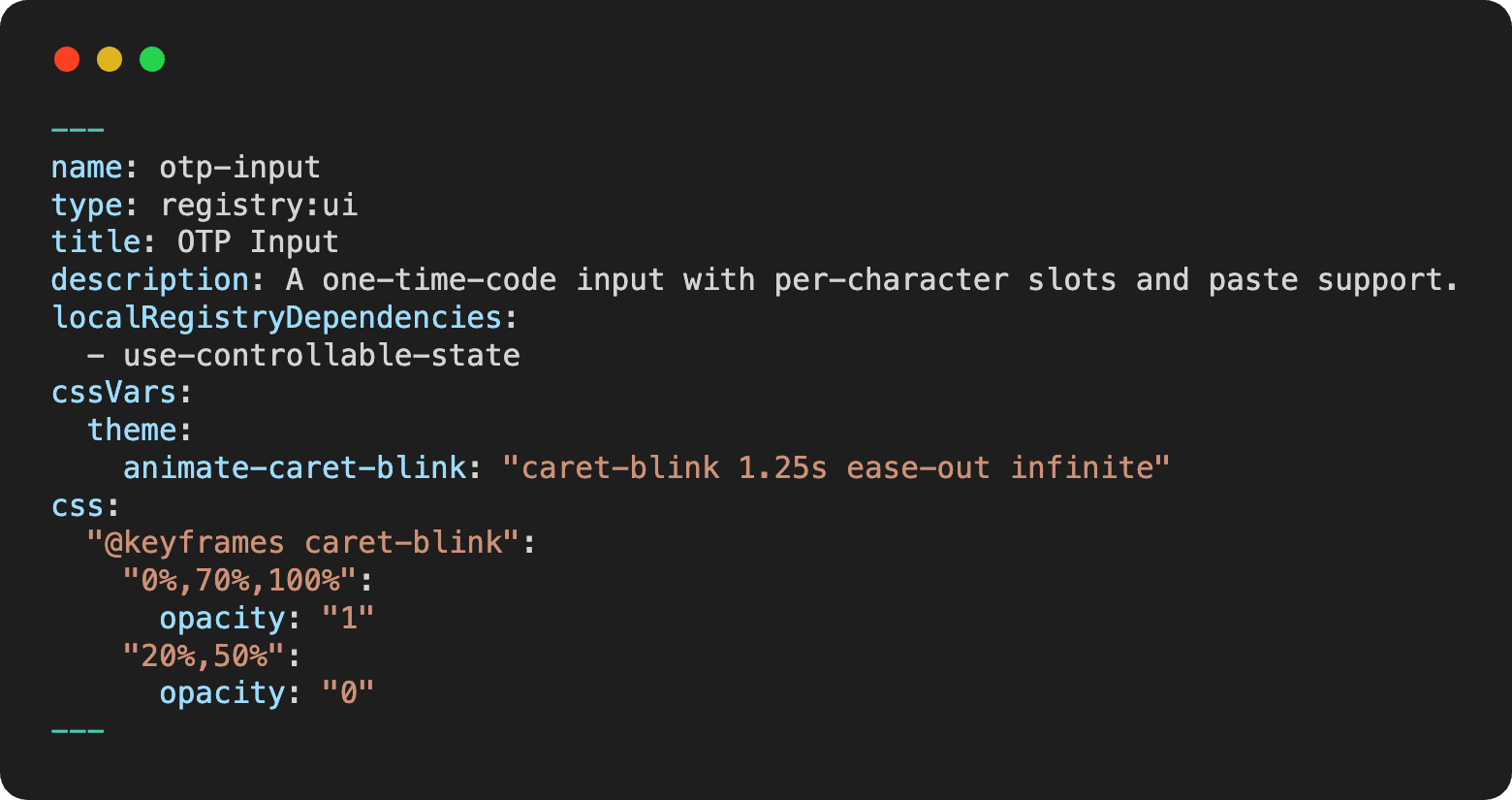
Everything downstream is derived from that declaration. The documentation page, the install command, the dependency graph, the search index, and the published JSON all read it, so there is no second manifest anyone can forget to update.
Two fields in there deserve their own step, because both of them are places where an item that looks finished still fails on somebody else's machine.
Step three: declare dependencies in the right one of three ways
An item can depend on three different kinds of things, and confusing two of them is the most common authoring mistake.
Ordinary npm packages go in dependencies, and the consumer's CLI installs them. Standard shadcn primitives such as button or dialog go in registryDependencies by bare name, and resolve against whatever the consumer already has. Items from your own registry are the third case, and they cannot be referenced by name at all, because the consumer's tooling has no idea what use-controllable-state means.
This was our first genuine bug. The fix is that authors declare local items in localRegistryDependencies, as above, and the catalog rewrites them into absolute URLs when the JSON is generated. Get it wrong and the build stops with the reason:

That message is worth more than a convention in a contributing guide, because the build enforces it and a reviewer does not have to.
Step four: ship the CSS the component needs
A component is not always just a file. The blinking caret in the item above needs a keyframe animation, and it cannot assume the consuming project's stylesheet already has one. That is what the cssVars and css blocks in the frontmatter are for: the CLI injects them into the consumer's stylesheet on install.
The test to apply here is uncomfortable but simple. Install your item into an empty project, with none of your own styles present, and see what it looks like. Anything that only works because your documentation site happens to define it is a bug you have not found yet.
Step five: write a preview that survives the server
Our documentation site is server-rendered, which means an interactive example that reaches for the browser window, an environment variable, or an application-only provider fails at build time rather than in production. Previews are restricted to static data, local state, and event handlers.
That constraint looked like a limitation and turned out to be a test. A component that cannot be demonstrated with fake data and no surrounding context is not yet reusable, and this catches it before publication instead of after.
The same principle applies to the documentation site itself, which is a consumer of the registry like any other project. The instinct is to build the component next to the page that renders it, which quietly couples the two. We import the published file instead, through a one-line re-export, so no second copy exists:

If the published source breaks, the documentation breaks with it. That is the property you want, because it fails loudly and early.
Step six: validate before anyone installs it
Conventions decay unless something checks them. Manual review does not reliably catch a missing install target, an item that publishes a file it never declared, or a preview without the expected export, so we turned the rules into a program:
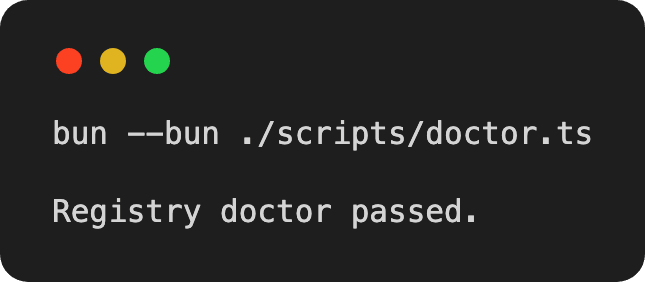
It walks the whole registry, prints errors and warnings with the offending path, and exits with a failing status code, which is the part that matters. A check that cannot fail a pipeline is a suggestion. We run it before every handoff.
What the consumer gets and what they now own
When somebody runs the install command, the CLI reads the JSON, installs the npm dependencies, resolves the shadcn primitives against their project, follows the URLs of your local items, writes the source files into their file tree using their aliases, and merges your CSS into their stylesheet.
Then it stops. There is no runtime, no import from your registry, and no link back. If they need the phone field to accept a different format, they edit it, the same way they edit any other file they wrote.
The cost is the same fact viewed from the other side. There is no propagation, and a bug you fix today does not reach the projects that installed the component last March. What a registry distributes is not a dependency, but a starting point, and that should be a decision you make deliberately rather than discover later.
What we would tell you before you start
Publish less than you think you should.
Early on, we published components simply because we thought a component library should be complete. Some of them were things shadcn already handled perfectly well. That was the wrong instinct.
Every component that duplicates something a team already has is another thing to maintain, document, and justify. If it does not add meaningful value, it is just another way of doing something that already worked.
Watch the dependencies you impose.
Nothing made this clearer than our international phone field. The obvious implementation was to reach for a phone-metadata library, but that meant that a project wanting a single form field would inherit several hundred kilobytes of country data.
Instead, we implemented country lookup and digit grouping directly in the component. It is less rigorous at the edges, but considerably cheaper for the common case. Teams that need full validation can still add the library themselves, in code they already own.
Write the conventions down for machines as well as people.
Our conventions are also available as an installable Agent Skill. That means a request like “adapt this modal from my application so it can be reused through the registry” can become something an agent executes end to end: scaffold the folder, extract the reusable unit, remove application-specific data access, write the metadata, and run the validator.
Agents are getting very good at producing code. They do not yet supply taste. In a UI library, that judgement is still most of the work.
Do I need to publish to a package registry or authenticate to use one?
No. A registry is JSON served over HTTP, so any compatible command-line tool can install from a URL. A static site or a small server is all the infrastructure required.
How do I stop my items from depending on my documentation site?
Make the documentation site consume the registry rather than contain it. Import the published file through a re-export, and keep previews restricted to static data and local state, so anything that only works inside your application fails at build time.
What happens when I fix a bug in a registry component?
Existing installations are unaffected. A project receives the fix by re-running the install command, which overwrites the file and discards local edits, or by applying the change by hand. This is the central cost of the model.
Can a registry item depend on other items in the same registry?
Yes, but never by a bare name. Declare them as local dependencies and let the build rewrite them into absolute URLs, because the consumer's tooling has no way of resolving a name that only exists in your repository.
Is this only useful for React and Tailwind?
The tooling assumes React and Tailwind conventions, so that is where it works without friction. The underlying idea, documented and installable distribution of source code rather than of compiled dependencies, is not tied to a framework, but today the tooling is. The choice between a package and a registry is less a technology decision than a decision about who owns the code afterwards. If your organization is facing that decision, or wants a registry of its own set up and documented, we would be glad to talk it through.