
An operations specialist opens an enterprise application to check pending tasks. A manager uses the same application to review approvals and team performance, while an executive wants to understand whether the business is meeting its targets. They all use the same software, but they need different information to do their jobs.
Many enterprise applications give these users similar dashboards, navigation and workflows, leaving each person to find what matters to them. Over time, this can make routine work unnecessarily complicated, particularly when employees repeatedly navigate through information and functions unrelated to their responsibilities.
Personalised UX can help by adapting what an application presents according to the user's role, current task or preferences. The challenge is identifying which differences improve the experience and which elements should remain consistent.
Our earlier article, The end of one-size-fits-all digital experiences, explored the broader move towards adaptive interfaces. Here, we focus on how personalisation can support everyday work in enterprise applications.
Why the same interface doesn't work for everyone
Consider a procurement platform used by employees submitting purchase requests, managers approving expenditure and finance teams processing payments. Although everyone participates in the same process, their responsibilities require different information.
An employee needs to know what information to provide and whether a request has been approved. A manager needs the amount, supporting documents and approval history to make a decision. Finance requires the relevant financial details before processing the transaction.
When all these functions receive equal prominence, users must repeatedly identify what is relevant to their work. New employees may struggle to distinguish essential actions from options intended for other departments, while experienced users can spend time navigating through screens they rarely need.
These problems contribute to the operational friction discussed in our article on the invisible cost of poor UX in enterprise applications.
Improving navigation or adding shortcuts may help, but where different groups consistently need different information, adapting the interface is worth considering.
How enterprise UX can be personalised
Personalisation can take several forms, depending on what determines the information and interactions presented to each user.
Role-based personalisation
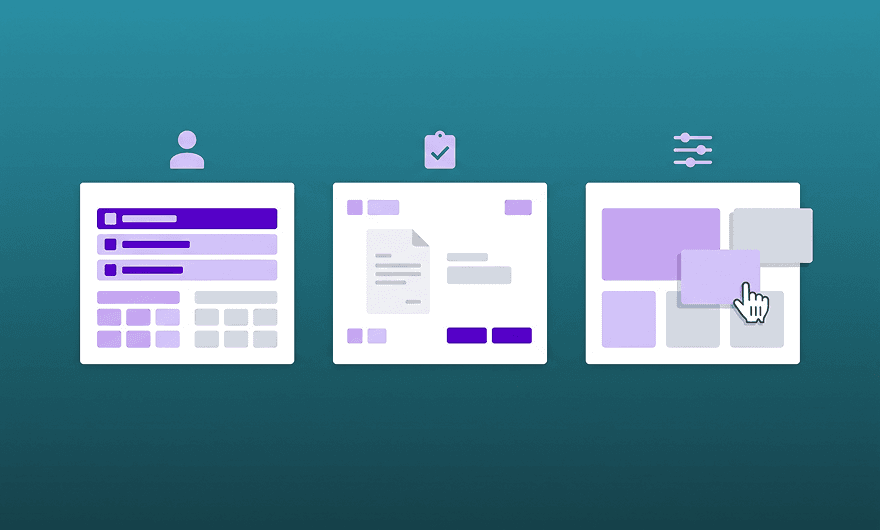
Role-based personalisation prioritises information according to a person's responsibilities. In an operations platform, an employee might open the application to find assigned tasks and upcoming deadlines, while a team manager sees pending approvals, workloads and issues requiring attention.
Both experiences can use the same data and interface components. The difference lies in what appears first and how users reach their most common actions. These presentation choices do not replace access permissions, which must still be enforced by the application.
Roles provide a useful starting point, but they do not describe every user's needs. Employees with identical permissions may work on different processes or handle different responsibilities within the same department.
Contextual personalisation
Contextual personalisation considers the task someone is performing. When a manager reviews an expense request, the amount, supporting documents and approval history may be more relevant than the information normally displayed on their dashboard.
The application can bring these details together and present the actions available at that stage of the process. Once the task is complete, the manager can return to a broader view.
This approach depends on understanding the workflow and identifying which information supports each decision.
User-controlled customisation
Some adjustments are better left to the user. Employees may want to rearrange dashboard widgets, save frequently used filters or choose which columns appear in a table.
The Nielsen Norman Group distinguishes between personalisation, where the system adapts the experience, and customisation, where users make their own adjustments.
Enterprise applications can combine both approaches. A dashboard might initially prioritise information based on a user's role while allowing them to change the layout.
These adaptations do not necessarily require artificial intelligence. Many can be implemented using business rules, application settings and information already available within the system.
Where personalisation can improve daily work
Dashboards are a common opportunity because they often accumulate metrics, charts and shortcuts as applications evolve. What begins as a useful overview can become difficult to navigate when every department's requirements receive equal space.
A personalised dashboard can give an operations employee immediate access to outstanding tasks, while a manager sees requests awaiting approval and an executive sees aggregated business indicators. This may reduce repeated filtering and navigation, although any time savings should be tested with users performing their normal tasks.
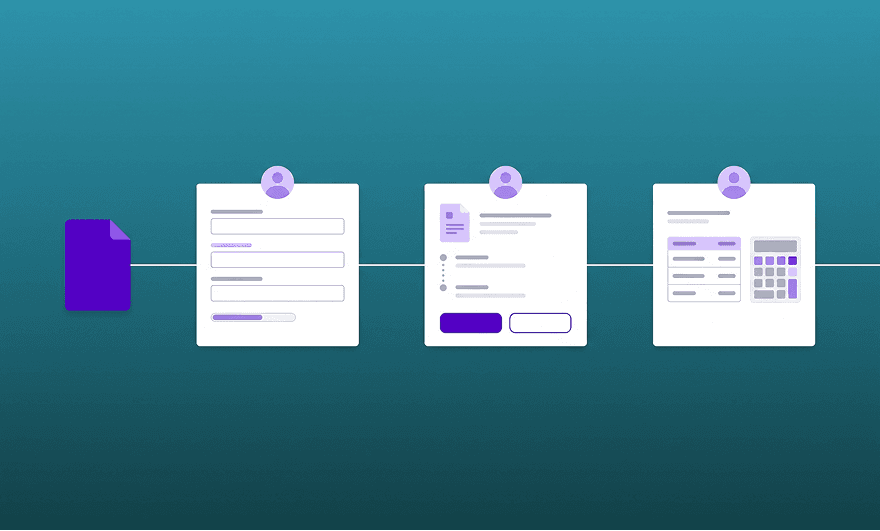
Personalisation can also support workflows involving several participants. In a purchasing process, the requester needs to submit information and follow its progress, while the approver needs supporting documents and decision controls. Finance requires different information when the request reaches the processing stage.
The application can adapt the information and actions presented as the request moves through the process. However, users should still understand its status and be able to access other functionality they are authorised to use.
Differences in experience can also influence interface design. Someone completing an unfamiliar process may benefit from additional guidance, while a frequent user may prefer saved settings or shortcuts. These choices should reflect observed behaviour rather than assumptions about how experienced someone is.
Personalisation still needs consistency
Supporting different experiences does not mean developing separate applications. Shared interface components can support different dashboards and workflows, provided the design and architecture accommodate those variations.
Consistency remains important. Navigation, component behaviour and accessibility should stay predictable, even when the information presented changes. Personalisation also introduces configurations that teams must maintain and test, so every variation needs a clear purpose.
Where users encounter the same usability problem, improving the common interface may be more effective than introducing personalised versions.
Start with the work users need to complete
For organisations considering personalised UX, a useful starting point is observing how different groups work with the application. Look at the information they need first, the steps they repeat and the adjustments they make before starting a task.
These observations can reveal where different presentations or workflows would help and where a better common interface would solve the problem.
At Mediaweb, our work on enterprise digital products brings UX/UI Design and Frontend Development together. Considering user needs alongside implementation constraints helps us assess which adaptations are practical and how they can be maintained as the application evolves.
Before personalising anything, it’s worth finding out where people lose time today and why. That is usually where the most useful adaptations come from.
Do your users struggle to find what they need?
See how Mediaweb designs and builds enterprise digital products around the way people work.
How can organisations measure the benefits of personalised UX?
Organisations can compare equivalent tasks before and after introducing personalisation, using measures such as completion time, task success and unnecessary navigation. Usability testing and user feedback can also show whether people find relevant information more easily without losing access to other authorised functionality.
Can personalisation make enterprise applications harder to use?
Yes. Interfaces that move familiar actions unexpectedly or hide information too aggressively can make everyday tasks harder. Personalisation also introduces configurations that teams must maintain and test. Users should understand what changes, retain access to authorised functionality and be able to rely on consistent interaction patterns.